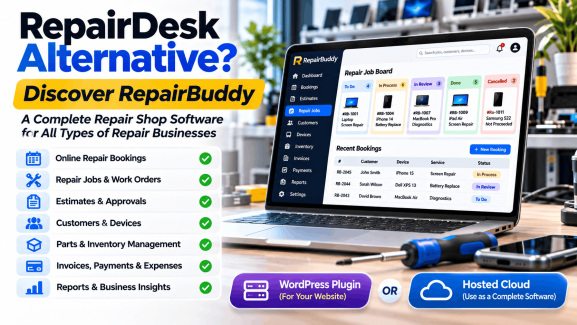
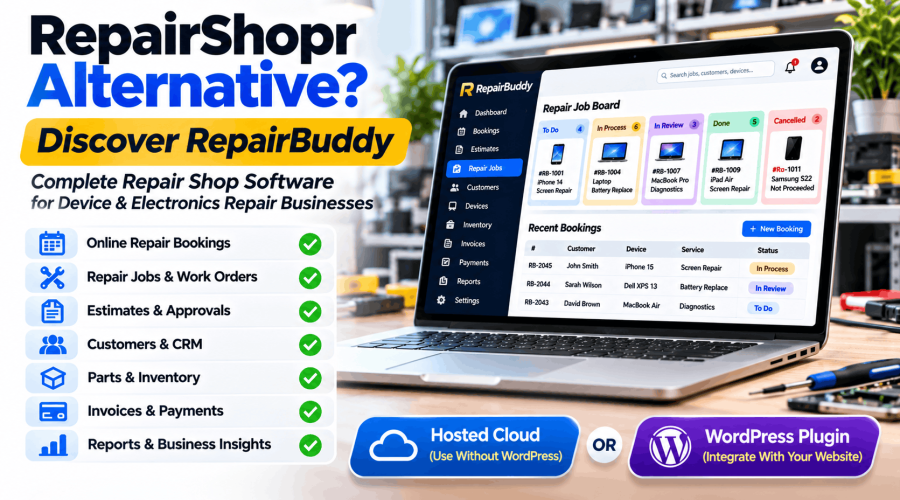
Looking for a RepairShopr Alternative? Discover RepairBuddy Repair Shop Software
Running a repair business involves much more than fixing devices. You need to manage customers, repair bookings, estimates, technicians, parts, invoices, payments, and communication while keeping every repair job organized.
Software such as RepairShopr helps repair businesses bring these operations together. But if you are exploring alternatives, you may want to compare other platforms that offer a different approach to repair management.
One option worth considering is RepairBuddy.
RepairBuddy is complete repair shop management software designed for mobile phone repair shops, computer repair businesses, electronics repair centres, and many other repair industries.
What makes RepairBuddy particularly flexible is that you can choose how to use it:
- Hosted Cloud: Run RepairBuddy as a standalone repair management system on our servers, without needing a WordPress website.
- WordPress Plugin: Install RepairBuddy on your own WordPress website and integrate repair bookings and management into your existing online presence.
In this guide, we will look at RepairShopr, explore what RepairBuddy offers, and explain the differences worth considering when choosing repair shop software.
Explore RepairBuddy | View RepairBuddy Demos
What Is RepairShopr?
RepairShopr is an online repair shop management platform designed to help repair businesses manage customers, tickets, estimates, invoicing, inventory, payments, and other daily operations.
Its feature set includes several tools for running a repair business, such as:
- Customer relationship management (CRM)
- Repair tickets and job tracking
- Estimates and invoicing
- Customer portal
- Inventory management
- Point of Sale (POS)
- Parts ordering
- Technician time tracking
- Email and SMS communication
- Automated marketing
- Field job scheduling
- Business reporting
- Multi-location management
- Third-party integrations
RepairShopr also provides integrations with services such as QuickBooks, Xero, Stripe, PayPal, Google Calendar, and other business tools.
It is a comprehensive platform, particularly for businesses looking for integrated ticketing, retail, inventory, and customer management.
What Is RepairBuddy?

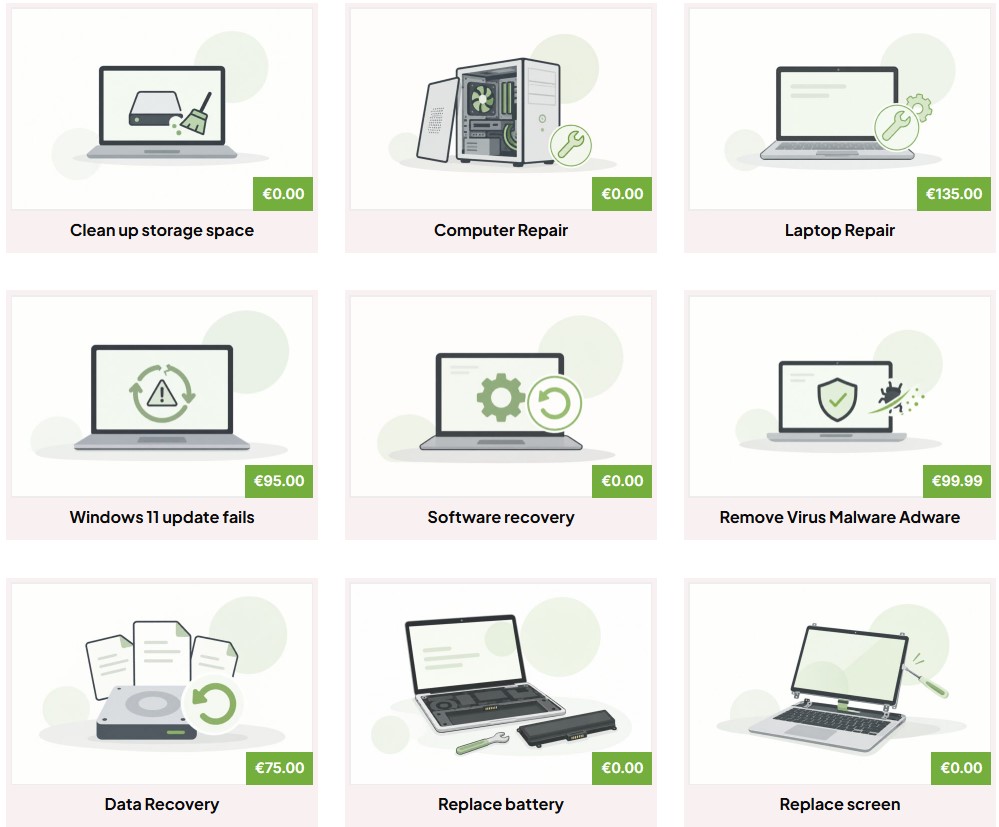
RepairBuddy is a complete repair shop CRM and management system built around the workflow of a repair business.
It helps you manage the process from the moment a customer submits a repair booking until the device is repaired, paid for, collected, and followed up with.
The typical workflow looks like this:
Customer → Booking → Device → Evaluation → Estimate → Approval → Repair Job → Technician → Parts & Services → Payment → Pickup/Delivery → Review → Next Service
Instead of maintaining separate systems for bookings, estimates, repair jobs, and customer records, RepairBuddy brings these activities together.
You can manage:
- Customers and their repair history
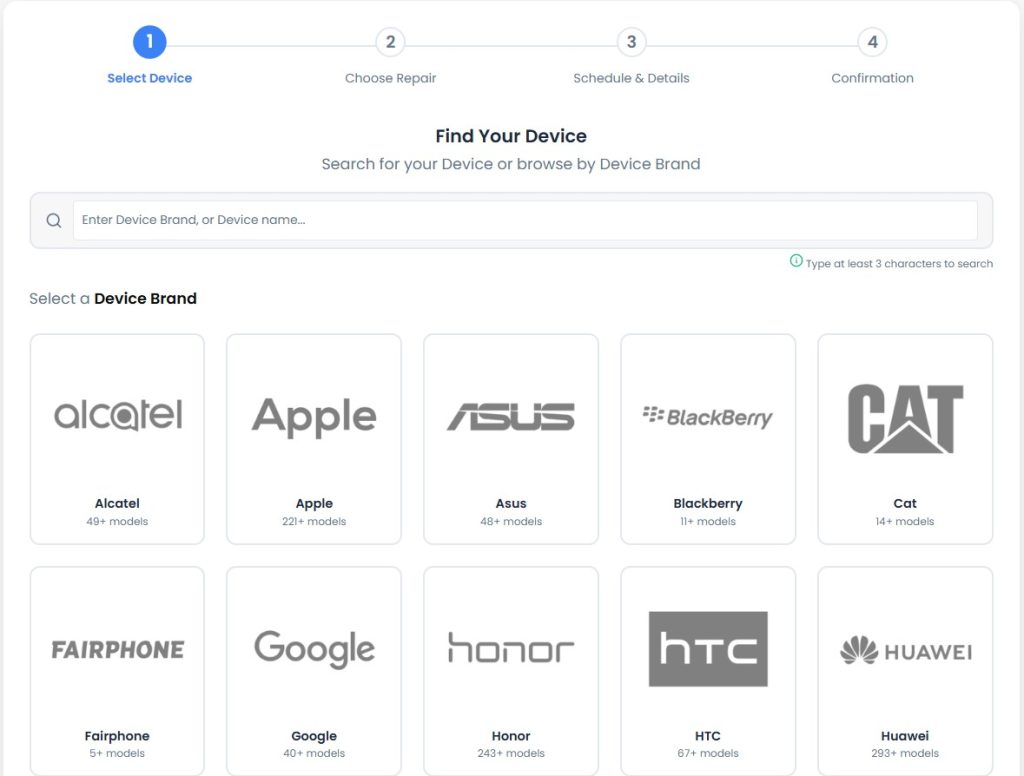
- Devices, brands, models, and services
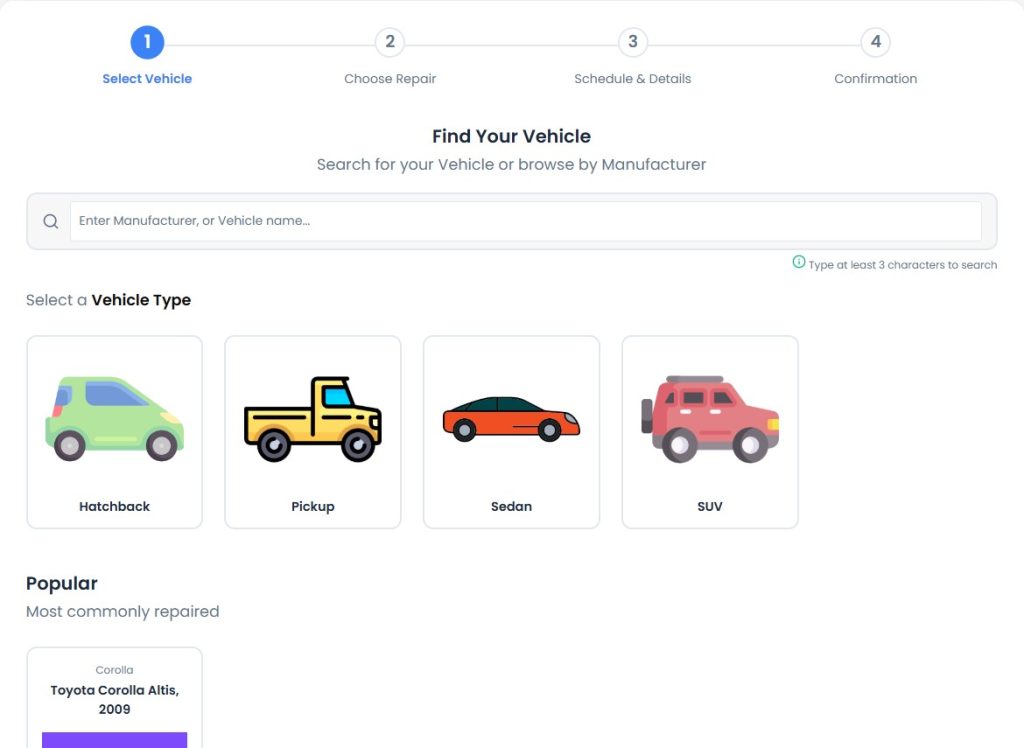
- Online repair bookings
- Appointments and scheduling
- Pre-repair and post-repair evaluations
- Repair estimates and customer approvals
- Repair jobs, tickets, and work orders
- Technicians and time logs
- Parts, services, and extras
- Invoices and payments
- Job and business expenses
- Email and SMS notifications
- Customer reviews and feedback
- Warranty claims
- Maintenance and next-service reminders
- Reports and analytics
RepairBuddy Is Available as Hosted Cloud Software or a WordPress Plugin
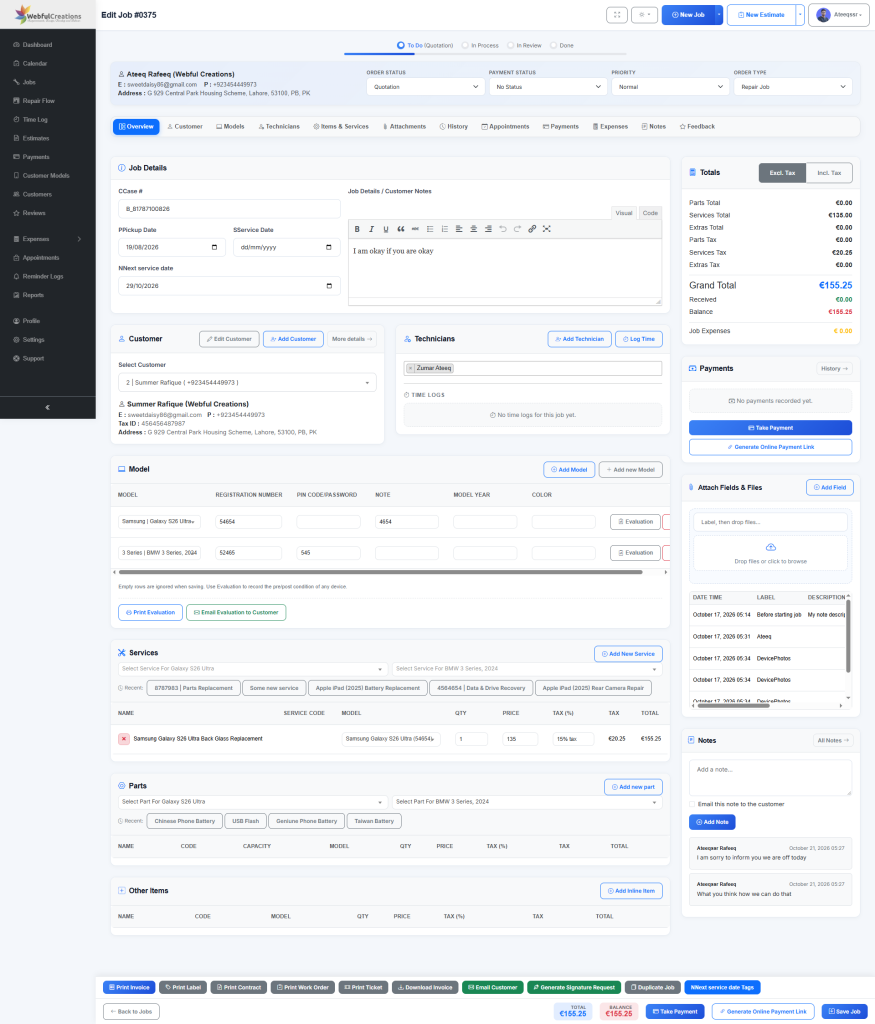
One important consideration when comparing repair management platforms is how you want your software hosted.
RepairBuddy offers two ways to use the system. You do not have to own a WordPress website to use it.
1. RepairBuddy Hosted Cloud – No WordPress Website Required
If you want repair shop software without managing a website or WordPress installation, you can choose RepairBuddy Hosted Cloud.
With this option, RepairBuddy runs on our servers. You access the hosted repair management system without having to purchase WordPress hosting, install WordPress, or maintain your own WordPress environment.
It is intended for repair businesses that simply want a dedicated system to manage their operations.
This makes RepairBuddy relevant to businesses comparing cloud-based platforms such as RepairShopr.
Hosted Cloud is worth considering if:
- You want ready-to-use repair management software.
- You do not have a WordPress website.
- You do not want to manage WordPress installation or hosting.
- You want your repair operations managed through a hosted system.
- You want to focus on customers, bookings, estimates, and repair jobs rather than website administration.
Explore: RepairBuddy Hosted Cloud Pricing.
2. RepairBuddy WordPress Plugin – Integrate Your Website and Repair Management
If you already have a WordPress website or want your repair business website built with WordPress, you can install RepairBuddy as a plugin.
This option allows you to integrate your website and repair management system.
You can display repair services, accept online bookings, provide customer access, and manage repair operations through your WordPress installation.
It is particularly useful for businesses that want their website to do more than display contact information and service descriptions.
Choose the WordPress Plugin if:
- You already have a WordPress website.
- You want to accept repair bookings directly through your website.
- You want to integrate your online presence with repair management.
- You prefer hosting and controlling your own WordPress installation.
Explore: RepairBuddy WordPress Plugin.
Which RepairBuddy option should you choose?
| Requirement | Hosted Cloud | WordPress Plugin |
|---|---|---|
| Requires a WordPress website | No | Yes |
| Hosted by RepairBuddy | Yes | No |
| Installed on your own WordPress website | No | Yes |
| Suitable for businesses without a website | Yes | No, not as a standalone installation |
| Integrates with your WordPress website | Not required | Yes |
| Repair management system | Yes | Yes |
The important point is that RepairBuddy is not restricted to WordPress users. You can choose the hosted option and use it as your repair business management software.
RepairBuddy vs RepairShopr: Feature Comparison
Both platforms are designed to help repair businesses manage their operations. However, their approaches and available workflows differ.
Here is a high-level comparison of their main capabilities.
| Feature | RepairBuddy | RepairShopr |
|---|---|---|
| Customer management / CRM | Yes | Yes |
| Online repair bookings | Yes | Website lead and booking tools |
| Repair jobs and tickets | Yes | Yes |
| Repair estimates | Yes | Yes |
| Customer estimate approval | Yes | Yes |
| Customer portal | Yes | Yes |
| Online repair status checker | Yes | Ticket tracking |
| Device, brand and model management | Yes | Inventory and ticket workflows |
| Pre- and post-repair evaluations | Yes | Digital intake forms and signatures |
| Technician assignments | Yes | Yes |
| Technician time tracking | Yes | Yes |
| Parts and inventory management | Yes | Yes |
| Repair invoices and payments | Yes | Yes |
| Job expenses | Yes | Check available workflows |
| Digital signatures | Yes | Yes |
| Repair appointments and calendar | Yes | Yes |
| Email and SMS notifications | Yes | Yes |
| Customer reviews and feedback | Yes | Check available integrations |
| Maintenance and next-service reminders | Yes | Marketing and follow-up tools |
| Warranty claims | Yes | Warranty-related inventory features |
| Point of Sale | Check your RepairBuddy requirements | Yes |
| Automated marketing campaigns | Customer communication and reminders | Yes |
| Multi-location management | Multi-store addon available | Yes |
| Deployment options | Hosted Cloud or WordPress Plugin | Hosted platform |
This is a feature-level overview, not a guarantee that every capability is available on every subscription or deployment. RepairShopr features and plan restrictions should be checked against its current documentation. RepairBuddy’s specific cloud plan and plugin capabilities should also be confirmed before purchase.
Where RepairBuddy stands out
RepairBuddy is particularly interesting if you want:
- A repair management workflow that connects bookings, evaluations, estimates, approvals, jobs, and customer follow-up.
- A flexible device, brand, model, and service structure that can be adapted to different repair industries.
- A hosted cloud option that does not require WordPress.
- A WordPress plugin option if you want repair management integrated with your own website.
- Technician workspaces, time logs, job expenses, repair tickets, and work orders in one system.
RepairShopr also has strengths worth considering, particularly its established POS, inventory purchasing, automated marketing, and multi-location workflows.
The right choice depends on which capabilities matter most to your business.
10 RepairBuddy Features Worth Exploring
Let’s look more closely at how RepairBuddy can help organize your daily repair operations.
1. Online Repair Bookings
RepairBuddy provides an online repair booking system that helps customers submit repair requests.
You can configure:
- Device types
- Brands
- Devices and models
- Repair services
- Parts
- Extras
- Appointment availability
- Repair methods
Customers can select their device, choose the required services, provide device information, and submit their booking.
The system can also support multiple devices within a booking.
This helps you collect useful information before the customer arrives or sends their device for repair.
2. Repair Estimates and Customer Approvals
Repair estimates are an important part of the repair process.
RepairBuddy allows you to create estimates manually or from bookings.
You can include services, labour, parts, extras, taxes, and the estimated total.
Customers can review the estimate and approve or reject it through the available customer workflow.
Additional functionality includes:
- Requesting a digital signature during estimate approval.
- Recording the reason for an estimate rejection.
- Cloning a rejected estimate to make changes and send it again.
- Converting an approved estimate into an active repair job.
This helps create a more organized process between customer approval and repair work.
Read more: How to Create Car Repair Estimates Customers Understand and Approve.
3. Repair Jobs and Work Orders
RepairBuddy helps you manage repair jobs from intake to completion.
You can view jobs through the dashboard and use the five-stage repair job board to monitor progress.
The system provides tools for:
- Job status management
- Job priorities
- Technician assignments
- Repair notes and history
- Services and parts
- Additional charges
- Customer communication
- Payments and expenses
- Work orders
- Repair tickets and labels
You can also search and filter repair records to find the information you need.
Read more: How to Manage Auto Repair Jobs and Work Orders Efficiently.
4. Customer Relationship Management
Your customer database is one of your most valuable business assets.
RepairBuddy provides customer profiles with custom fields and useful repair-related insights.
You can review information such as:
- Total customer spending
- Total repair jobs
- Estimates
- Outstanding balances
- Reviews and feedback
- Customer repair history
This helps you understand customer relationships and identify repeat customers.
5. Device Management and Evaluations
RepairBuddy includes a flexible structure for managing device types, brands, models, services, parts, and extras.
It also supports pre-repair and post-repair evaluations.
You can document the condition of an item before work starts and record its condition after the repair.
For example, a mobile repair shop can check the screen, battery, camera, charging port, speakers, microphone, buttons, and other components.
A computer repair business can create its own evaluation checklist for displays, keyboards, ports, batteries, and other hardware.
This helps maintain a record of the equipment’s condition throughout the repair process.
6. Technician Management and Time Logs
RepairBuddy includes technician and shop manager workspaces.
You can assign repair jobs to technicians and manage their workloads.
The Time Log module allows technicians to record time spent on repair jobs and services.
You can configure customer billing rates and technician payout rates to help understand labour costs.
This is useful for businesses that want better visibility into technician activity and the time involved in completing repairs.
7. Parts, Services, and Inventory
RepairBuddy allows you to manage repair services, parts, and extras.
You can configure service pricing and associate parts with repair jobs.
WooCommerce products can also be used as repair parts in the WordPress integration.
This helps organize the components and services involved in each repair.
8. Invoices, Payments, and Expenses
RepairBuddy provides tools to manage repair billing and business expenses.
You can generate professional invoices, record payments, and manage payment information.
Its expense module allows you to record costs related to individual repair jobs as well as general business expenses.
For example:
- Parts purchases
- Technician costs
- Outsourced repairs
- Travel expenses
- Other operational costs
Connecting repair job information with payments and expenses helps you maintain better financial records.
9. Customer Communication and Notifications
RepairBuddy supports email and SMS notifications for important repair workflows.
You can configure notifications for job status changes and customize the notification content.
Supported workflows include booking updates, estimate notifications, repair progress, payment information, and other customer communication.
Available SMS integrations include SMSHosting and BulkGate.
10. Customer Retention and Next-Service Reminders
A completed repair does not have to be the end of your relationship with a customer.
RepairBuddy includes customer feedback, review requests, maintenance reminders, and next-service functionality.
You can use these features to encourage customers to return when their devices need maintenance or another service.
The Next Service functionality also provides service-date tracking and printable service tags with QR codes.
This helps repair businesses create opportunities for repeat visits instead of relying entirely on new customers.
Which Repair Businesses Can Use RepairBuddy?
RepairBuddy is designed for a wide range of repair and service industries.
Examples include:
- Mobile phone and smartphone repair shops
- Computer and laptop repair businesses
- Tablet repair centres
- Camera repair shops
- Drone repair businesses
- Gaming console repair services
- Smartwatch repair businesses
- E-bike and e-scooter repair shops
- Appliance repair businesses
- Watch and jewelry repair services
- Bicycle repair shops
- Automotive repair businesses
Its flexible device type, brand, model, and service structure allows businesses to adapt the system to different equipment categories.
You can explore the available industry solutions through the RepairBuddy Industries page.
Is RepairBuddy a Good Alternative to RepairShopr?
RepairBuddy is worth evaluating if you are looking for repair management software with flexible deployment options and a workflow built around bookings, estimates, approvals, repair jobs, and customer management.
It may be particularly suitable if:
- You want to manage repair bookings and jobs in one system.
- You need online estimate approval and repair status tracking.
- You want to document equipment condition before and after repairs.
- You need technician assignments and time logs.
- You want job-related expense management.
- You want a hosted cloud system without a WordPress website.
- You want a WordPress plugin that integrates repair management with your website.
However, if your business depends heavily on RepairShopr’s particular POS, automated marketing, parts purchasing, or multi-location features, compare those workflows carefully before switching.
The best repair management system is the one that fits your actual business operations.
Frequently Asked Questions
Is RepairBuddy an alternative to RepairShopr?
RepairBuddy is an alternative worth considering for repair businesses looking for customer management, bookings, estimates, repair jobs, work orders, technician management, and other repair operations.
It offers both a hosted cloud solution and a WordPress plugin.
Can I use RepairBuddy without WordPress?
Yes. You can choose RepairBuddy Hosted Cloud, which runs on our servers. You do not need to own a WordPress website or manage your own WordPress installation.
Is RepairBuddy cloud-based?
Yes. RepairBuddy offers a hosted cloud option for businesses that want to use the software without hosting their own WordPress installation.
Do I need to build a website to use RepairBuddy?
No. If you choose Hosted Cloud, you can use RepairBuddy as your repair management system without first building a WordPress website.
Can I install RepairBuddy on my own website?
Yes. RepairBuddy is also available as a WordPress plugin. You can install it on your own WordPress website and integrate your repair bookings and management workflows.
Does RepairBuddy support mobile phone repair businesses?
Yes. RepairBuddy supports mobile phone repair workflows, including device management, brands, models, services, bookings, estimates, repair jobs, parts, invoices, and customer communication.
Can I use RepairBuddy for computer repair?
Yes. RepairBuddy can be configured for computer and laptop repair businesses.
Can RepairBuddy manage repair estimates?
Yes. You can create estimates, include services and parts, and allow customers to approve or reject them. Approved estimates can be converted into repair jobs.
Does RepairBuddy have a customer portal?
Yes. RepairBuddy includes a customer portal integrated with WooCommerce My Account in its WordPress implementation. Customers can access relevant booking, estimate, job, invoice, and other available information.
Can technicians manage their own repair jobs?
RepairBuddy includes technician workspaces, job assignments, and time logging to help technicians manage their repair workload.
Does RepairBuddy support inventory management?
RepairBuddy provides parts management and WooCommerce product integration for repair parts. If you need advanced purchasing, vendor, or stock workflows, verify the exact capabilities against your requirements.
Does RepairBuddy support multiple repair locations?
RepairBuddy offers a Multi-store addon for businesses that need to manage multiple locations. Check the addon requirements and availability for your selected deployment.
How can I try RepairBuddy?
You can explore the available demonstrations through the RepairBuddy Demo Centre.
Try RepairBuddy for Your Repair Business
If you are researching a RepairShopr alternative, take a closer look at RepairBuddy.
It brings together important repair business workflows, including online bookings, estimates, customer approvals, repair jobs, technicians, parts, invoices, payments, expenses, and customer communication.
And unlike software that requires you to choose a website platform before getting started, RepairBuddy gives you two deployment options.
Choose Hosted Cloud if you want a complete repair management system without WordPress. Choose the WordPress Plugin if you want your repair management system integrated with your own website.
Explore RepairBuddy and see how it fits your repair business.
RepairBuddy – Complete Repair Shop Management Software. Available as Hosted Cloud or a WordPress Plugin.